
QuickBuy watches the product page for you and checks out the moment stock appears — in about a second, while a restock is still there to catch.
Free. No account. Works on www.flipkart.com only.
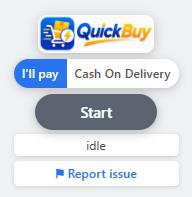
There is no setup, no sign-up and no configuration to get wrong.
Go to the Flipkart page for the exact item you want, and pick your variant and delivery address as usual.
QuickBuy checks stock every few seconds and shows a countdown to the next check. Leave the tab in the background.
The instant the item is available it clicks buy and clears checkout. Choose to stop at the payment screen, or let it place a Cash on Delivery order outright.
Speed is the easy half. Not making an expensive mistake at speed is the rest of it.
On a product that is already in stock, Start to payment screen takes about a second — the buy click and the order summary, with no page reload in between.
Flipkart quietly substitutes a different colour or size when yours is unavailable. QuickBuy checks what it was given against what you armed, and stops rather than buy the substitute.
An item can be in stock and still not ship to your pincode, with a buy button that looks perfectly normal. QuickBuy checks serviceability before it commits.
Watch as many tabs as you like. Checkouts are queued so two tabs never collide over one cart, and background tabs are not slowed down by the browser's timer throttling.
A captcha, a login, an address problem — an alarm sounds and the tab title and icon flash until you take over. It does not fail quietly.
QuickBuy does not read, store or transmit card numbers, UPI PINs or OTPs. It works inside your own logged-in session, the same as your own clicks.
QuickBuy is free. When it buys a product for you, it adds our affiliate identifier to the Flipkart link it opens, and Flipkart may pay us a commission on the purchase.
It costs you nothing. The price, the delivery charge and every offer available to you are unchanged. Only the buy step is tagged — pages you simply browse are untouched — and the parameter stays visible in your address bar. If you arrived through someone else's affiliate link, we leave theirs alone.
The ones worth answering before you install.
No. It works inside the session you are already signed in to, exactly as your own clicks do. It never sees or asks for your password, and it cannot access your account when your browser is closed.
Only if you choose Cash on Delivery mode and press Start — that mode exists to complete the order unattended, which is the entire point of it. In "I'll pay" mode it stops at the payment screen and waits for you. You are responsible for reviewing and cancelling any order it places.
It is faster than a person and slower than a dedicated scalping operation. It is built for restocks that last seconds rather than milliseconds, and it makes no promise of getting any particular item.
Only an issue report, and only when you send one or when QuickBuy cannot recognise a Flipkart button and files one automatically. That contains the page path without its query string, the product title, the extension version, what failed, and your browser version. No IP address is stored. Everything else stays on your device. The privacy policy lists it field by field.
No. It runs on www.flipkart.com and nowhere else, and it has no permission to read any other site.
No. QuickBuy is an independent tool and is not affiliated with, endorsed by, or operated by Flipkart Internet Private Limited, beyond taking part in their public affiliate programme.